Questo prodotto usufruisce delle SPEDIZIONI GRATIS
selezionando l'opzione Corriere Veloce in fase di ordine.
Pagabile anche con Carta della cultura giovani e del merito, 18App Bonus Cultura e Carta del Docente
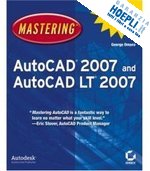
There's a reason why Mastering AutoCAD is so popular year after year. Loaded with concise explanations, step–by–step instructions, and hands–on projects, this comprehensive reference and tutorial from award–winning author George Omura has everything you need to become an AutoCAD expert.
If you're new to AutoCAD, the tutorials will help you build your skills right away. If you're an AutoCAD veteran, Omura's in–depth explanations of the latest and most advanced features, including all the new 3D tools, will turn you into an AutoCAD pro. Whatever your experience level and however you use AutoCAD, you'll refer to this indispensable reference again and again.
Coverage Includes
Featured on the CD
Load the trial version of AutoCAD 2007 and get started on the lessons in the book. The CD also includes project files and finished drawings for all the book's exercises, a symbols library, a 2D and 3D parts library, and extra utilities to increase your productivity. Advance your skills even more with bonus chapters on VBA, Active X, architectural solid modeling, and working with external databases.
"Mastering AutoCAD 2007 has been fully updated to cover all of AutoCAD 2007's new or enhanced features including modeling, visual styles, lights and materials, rendering and animation, and changes users asked for in commonly used commands. This excellent revision to the bestselling Mastering AutoCAD series features concise explanations, focused examples, step–by–step instructions, and hands–on projects for both AutoCAD and AutoCAD LT."
Eric Stover, AutoCAD Product Manager
"Omura's explanations are concise, his graphics are excellent, and his examples are practical."
CADalyst
Part 1: The Basics.
Chapter 1: Exploring the AutoCAD and AutoCAD LT Interface.
Chapter 2: Creating Your First Drawing.
Chapter 3: Setting Up and Using AutoCAD s Drafting Tools.
Chapter 4: Organizing Objects with Blocks and Groups.
Chapter 5: Keeping Track of Layers, Blocks, and Files.
Part 2: Mastering Intermediate Skills.
Chapter 6: Editing and Reusing Data to Work Efficiently.
Chapter 7: Mastering Viewing Tools, Hatches, and External References.
Chapter 8: Introducing Printing, Plotting, and Layouts.
Chapter 9: Understanding Plot Styles.
Chapter 10: Adding Text to Drawings.
Chapter 11: Using Fields and Tables.
Chapter 12: Using Dimensions.
Part 3: Mastering Advanced Skills.
Chapter 13: Using Attributes.
Chapter 14: Copying Pre–existing Drawings into AutoCAD.
Chapter 15: Advanced Editing and Organizing.
Chapter 16: Laying Out Your Printer Output.
Chapter 17: Using Dynamic Blocks.
Chapter 18: Drawing Curves and Solid Fills.
Chapter 19: Getting and Exchanging Data from Drawings.
Part 4: 3D Modeling and Imaging.
Chapter 20: Creating 3D Drawings.
Chapter 21: Using Advanced 3D Features in AutoCAD 2007.
Chapter 22: Rendering 3D Drawings.
Chapter 23: Editing and Visualizing 3D Solids.
Part 5: Customization and Integration.
Chapter 24: Using the Express Tools.
Chapter 25: Exploring AutoLISP.
Chapter 26: Customizing Toolbars, Menus, Linetypes, and Hatch Patterns.
Chapter 27: Managing and Sharing Your Drawings.
Chapter 28: Keeping a Project Organized with Sheet Sets.
Appendix A: Installing and Setting Up AutoCAD.
Appendix B: Hardware and Software Tips.
Appendix C: System and Dimension Variables.
Appendix D: New Features.
Index.


Il sito utilizza cookie ed altri strumenti di tracciamento che raccolgono informazioni dal dispositivo dell’utente. Oltre ai cookie tecnici ed analitici aggregati, strettamente necessari per il funzionamento di questo sito web, previo consenso dell’utente possono essere installati cookie di profilazione e marketing e cookie dei social media. Cliccando su “Accetto tutti i cookie” saranno attivate tutte le categorie di cookie. Per accettare solo deterninate categorie di cookie, cliccare invece su “Impostazioni cookie”. Chiudendo il banner o continuando a navigare saranno installati solo cookie tecnici. Per maggiori dettagli, consultare la Cookie Policy.